
Features
How it actually works
Every number a venue or vendor quotes you, captured where it lands, compared against the alternatives, and carried through to the budget, the guest list and the seating plan.
Importing Data
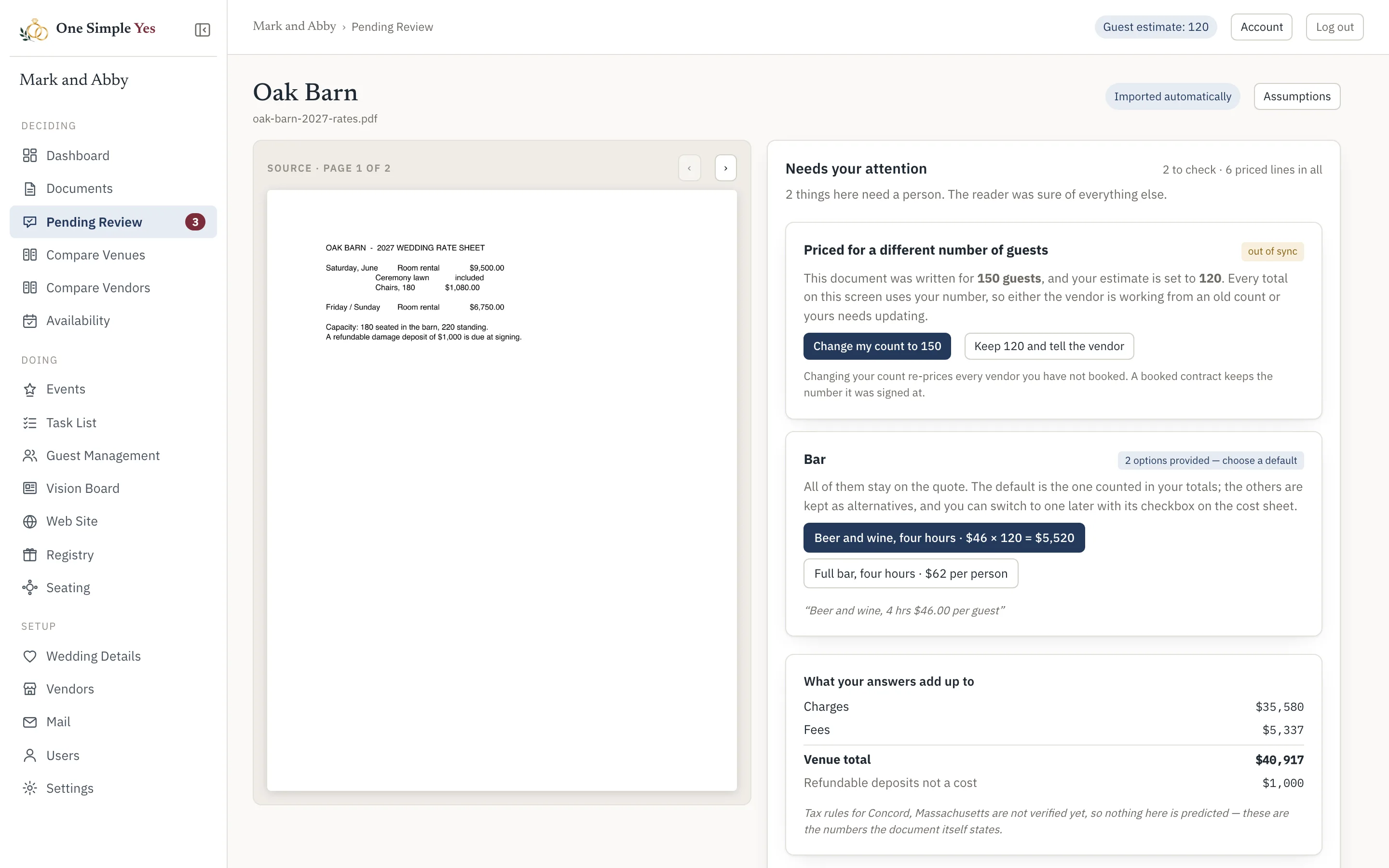
Capture quotes and availability information through email.
Forward a vendor’s reply to your own email (or ask them to CC your unique app address), and quote and availability data is automatically imported. You can also upload files directly, of course. Anything we are unsure of prompts you to review it.
Comparing Vendors
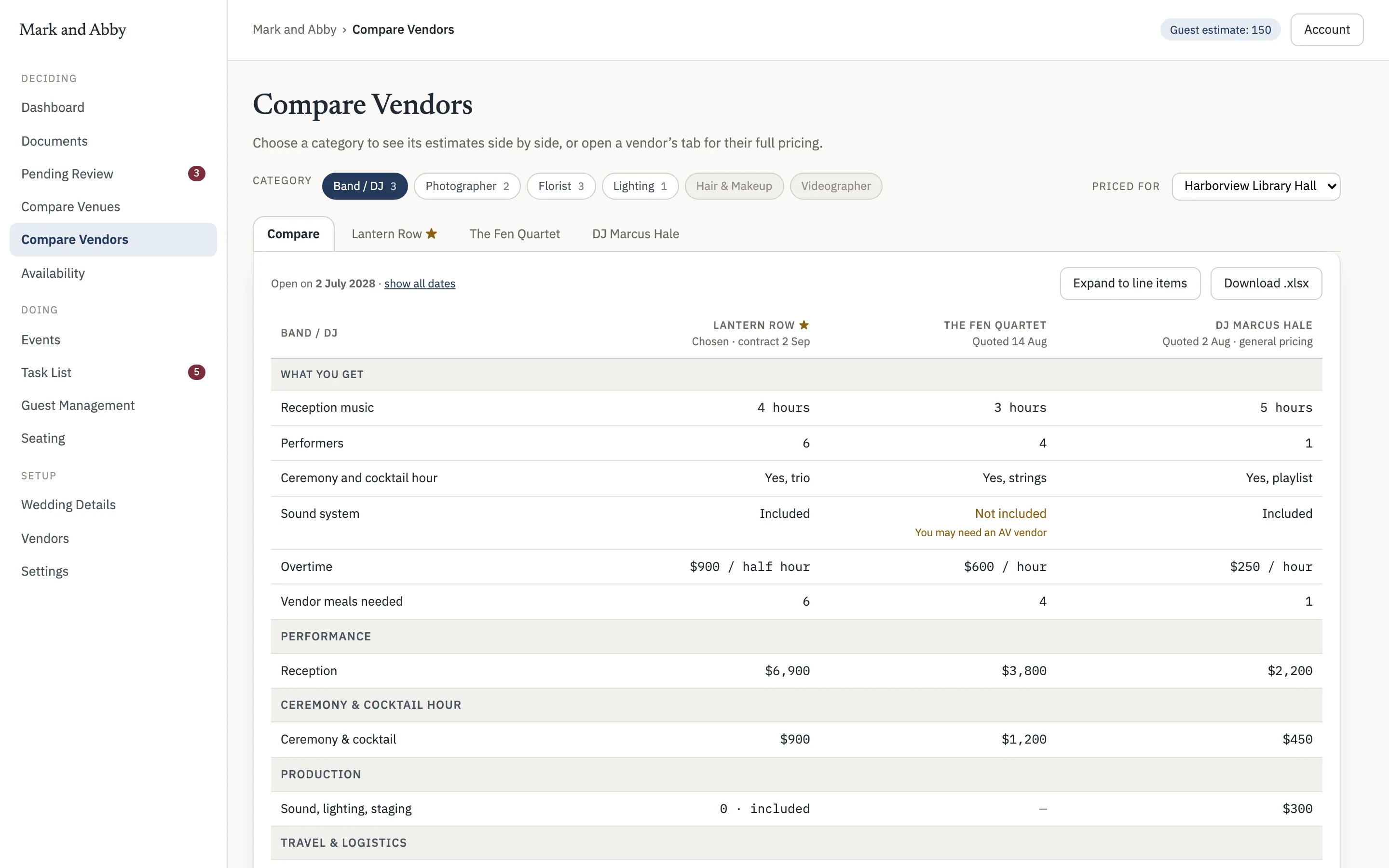
Summary level and all the details
Good decision making is about being able to compare options at a high level and then drill into the details. View the high level vendor and venue comparison screen and/or see every line item on each vendor’s tab.
Visualizing Availability
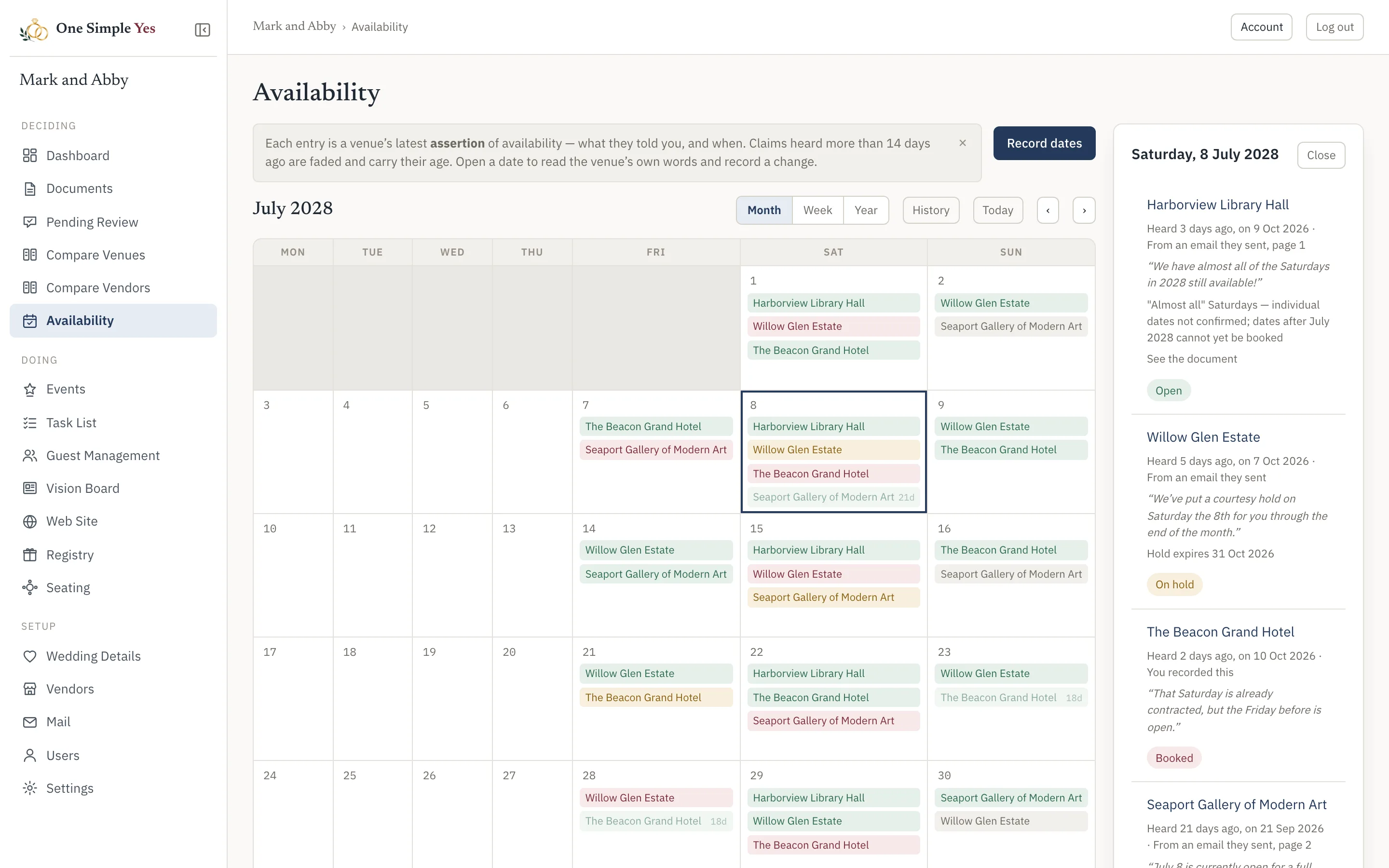
What they said, and when they said it
Finding the right combination of venue and date is stressful and challenging. View the latest availability information for all your candidate venues or vendors in a calendar, along with the the date the information was collected, so you know which to act on and which to ask about again.
Money
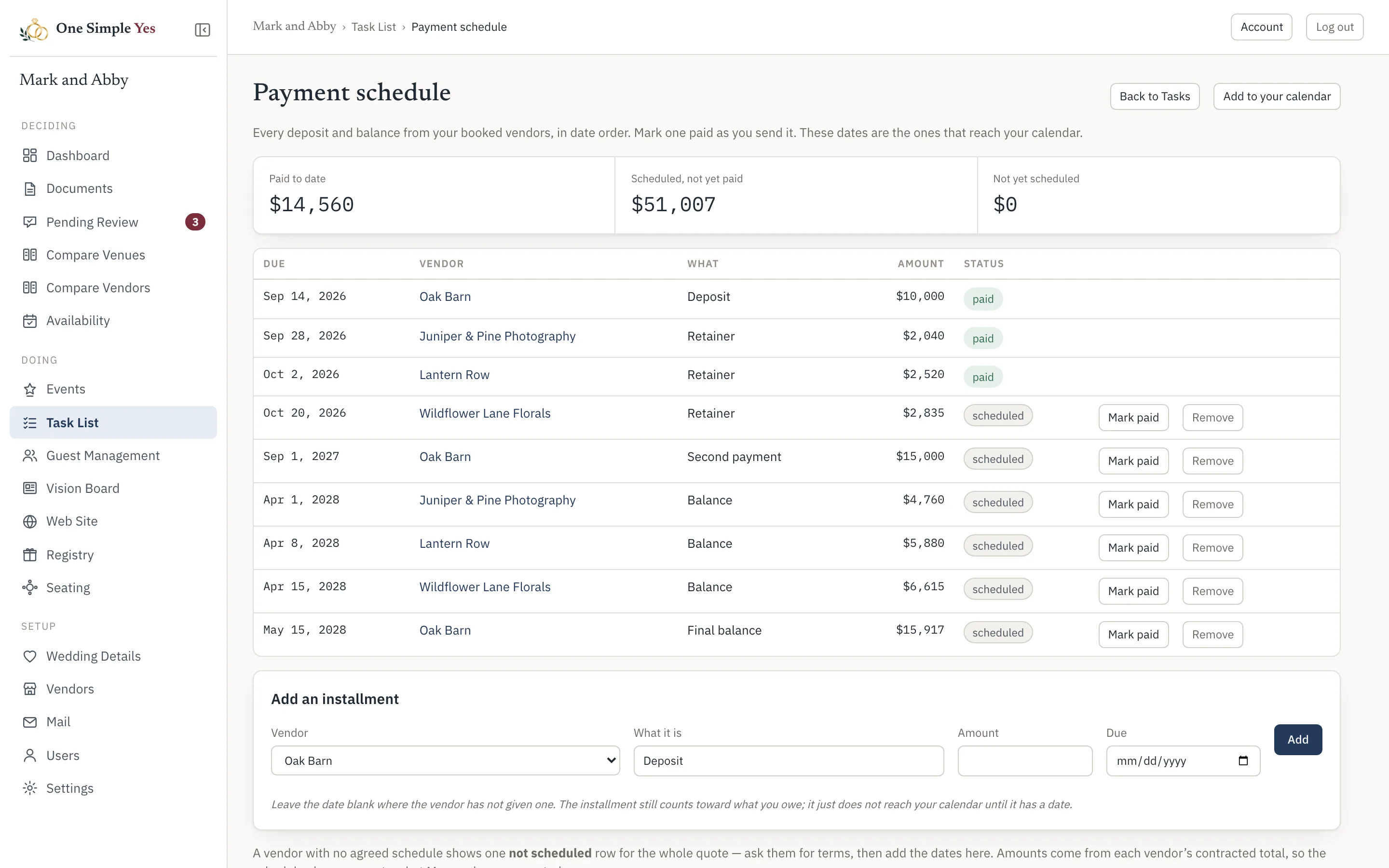
Where it is going, while it is going
Deposits, balances and due dates land on one ledger and one calendar. You can see what you have committed to and what is still coming without adding anything up yourself.
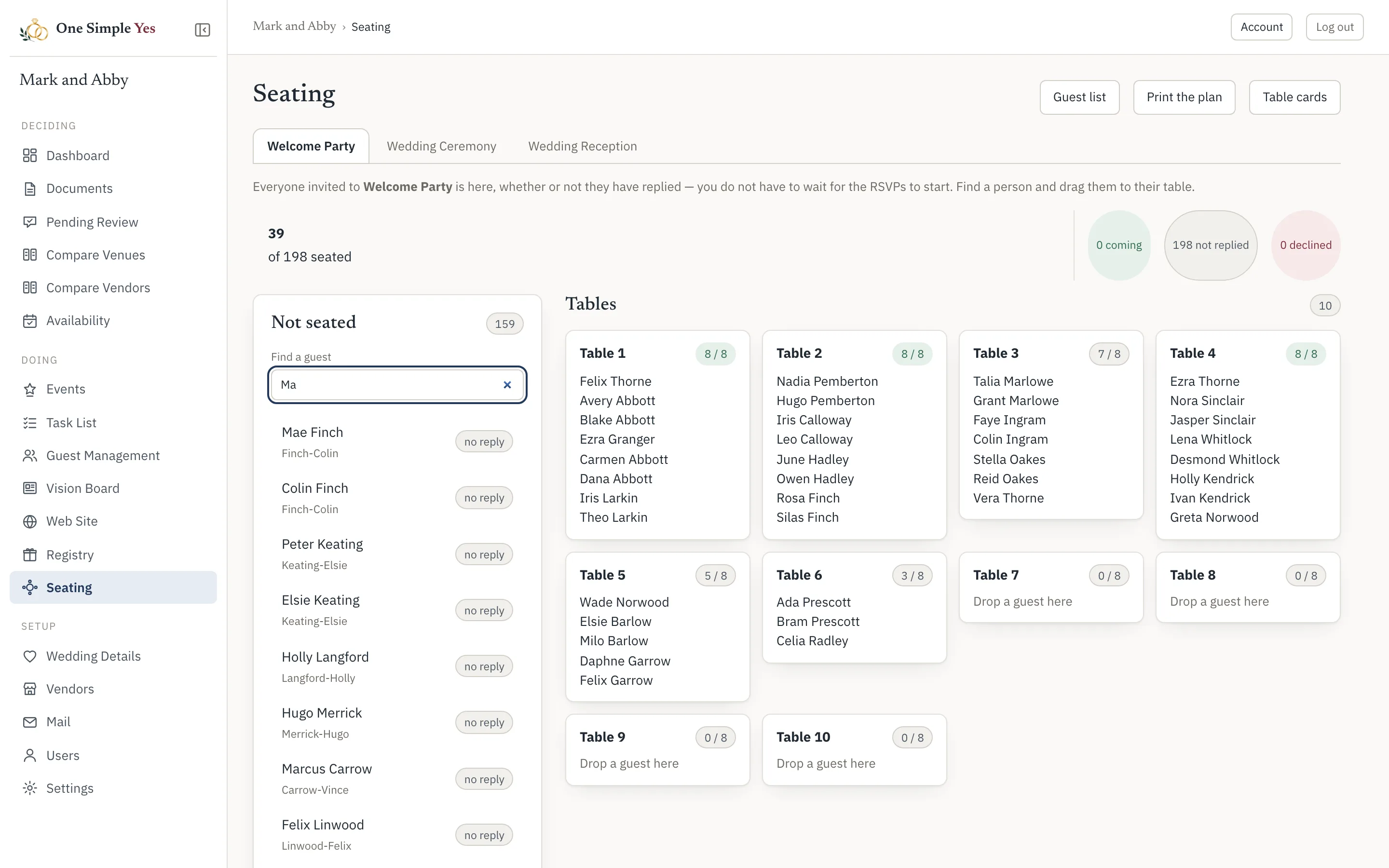
Seating
The list you already built, at tables
Pick a person, pick a table. The plan reads from the same guest list your replies came back to, so nobody re-types a hundred and forty names into something else.
No ads, no vendor marketplace, no guest information mining. Just your wedding, simply managed.